
Good tools Browse apps

Independent apps · Mac & iPhone

Focused apps for Mac and iPhone, made by one developer.

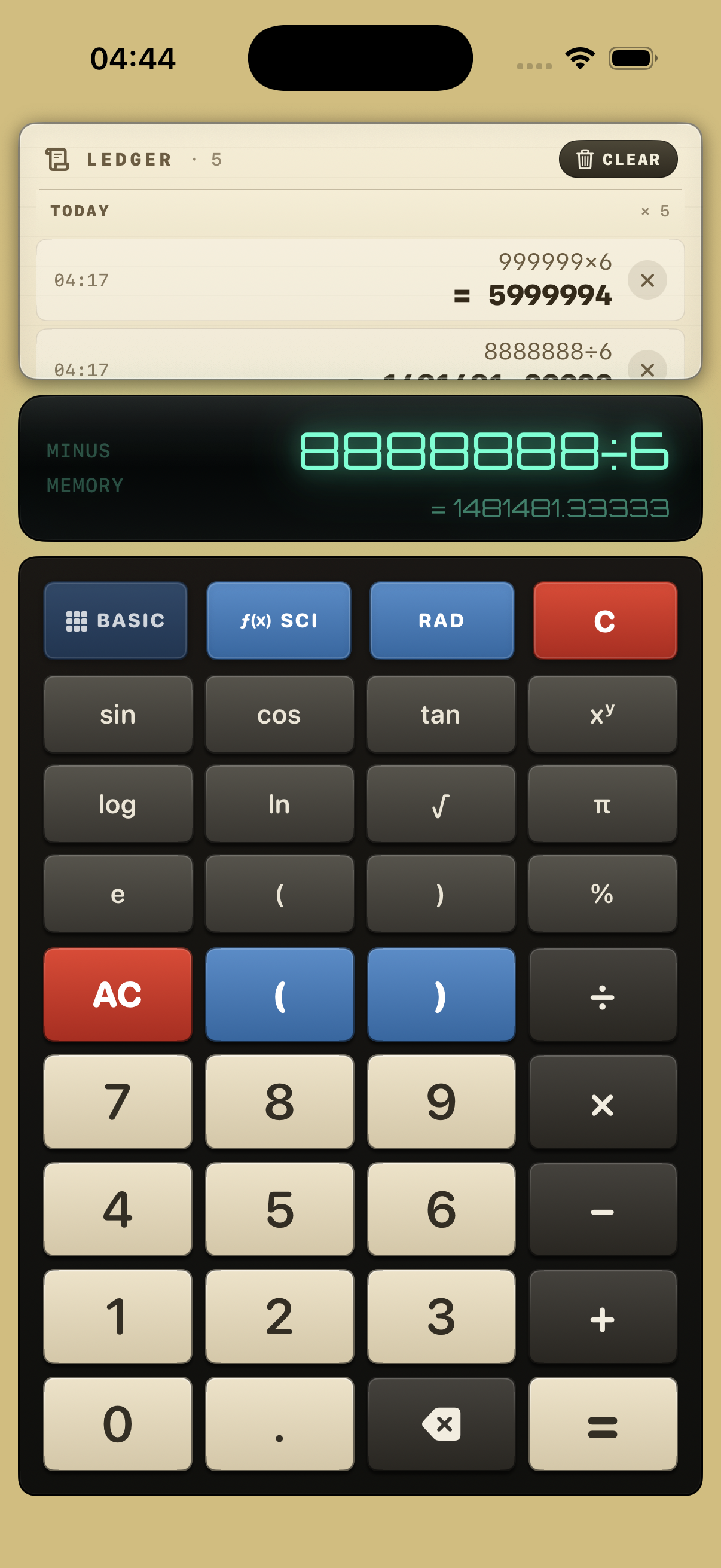
PicCute compresses and converts images in batches on your Mac. Ledger 63 is a vintage style iPhone calculator with a history you can reuse. No accounts, no clutter, just tools that get out of your way.

The apps

Two apps. Two everyday jobs.

One makes images lighter, the other makes numbers easier to keep track of. Each has its own page with features, screenshots, a quick start guide and answers to common questions.

PicCute app icon

PicCute

Batch image compressor & converter for Mac

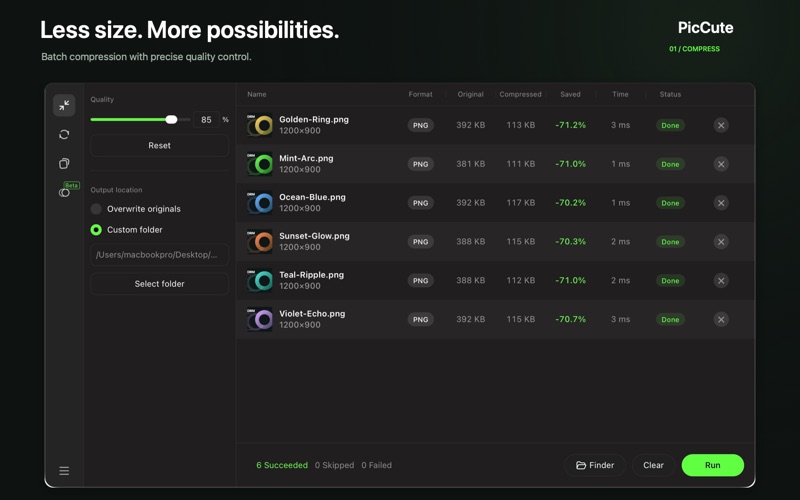
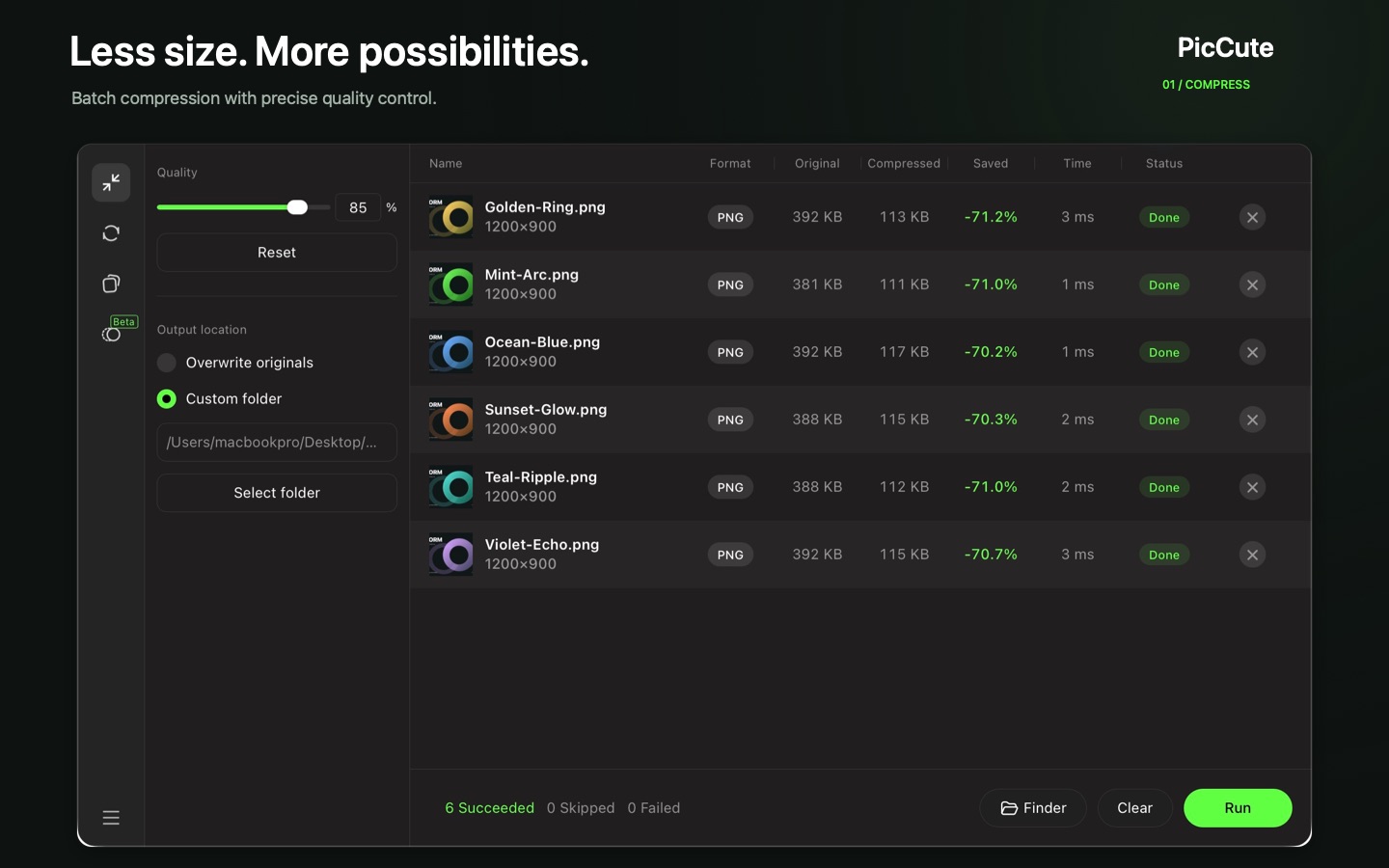
Drop in a folder of images, move one quality slider, click Run. Files typically shrink by over 60% while staying visually the same, and every image is processed locally on your Mac.

  • Compress PNG, JPG, WebP, HEIC and more in batches
  • Convert to PNG, JPG, WebP, HEIC or GIF, including animated APNG
  • Before and after compare slider, multithreaded Rust engine
Ledger 63 app icon

Ledger 63

Vintage style calculator for iPhone

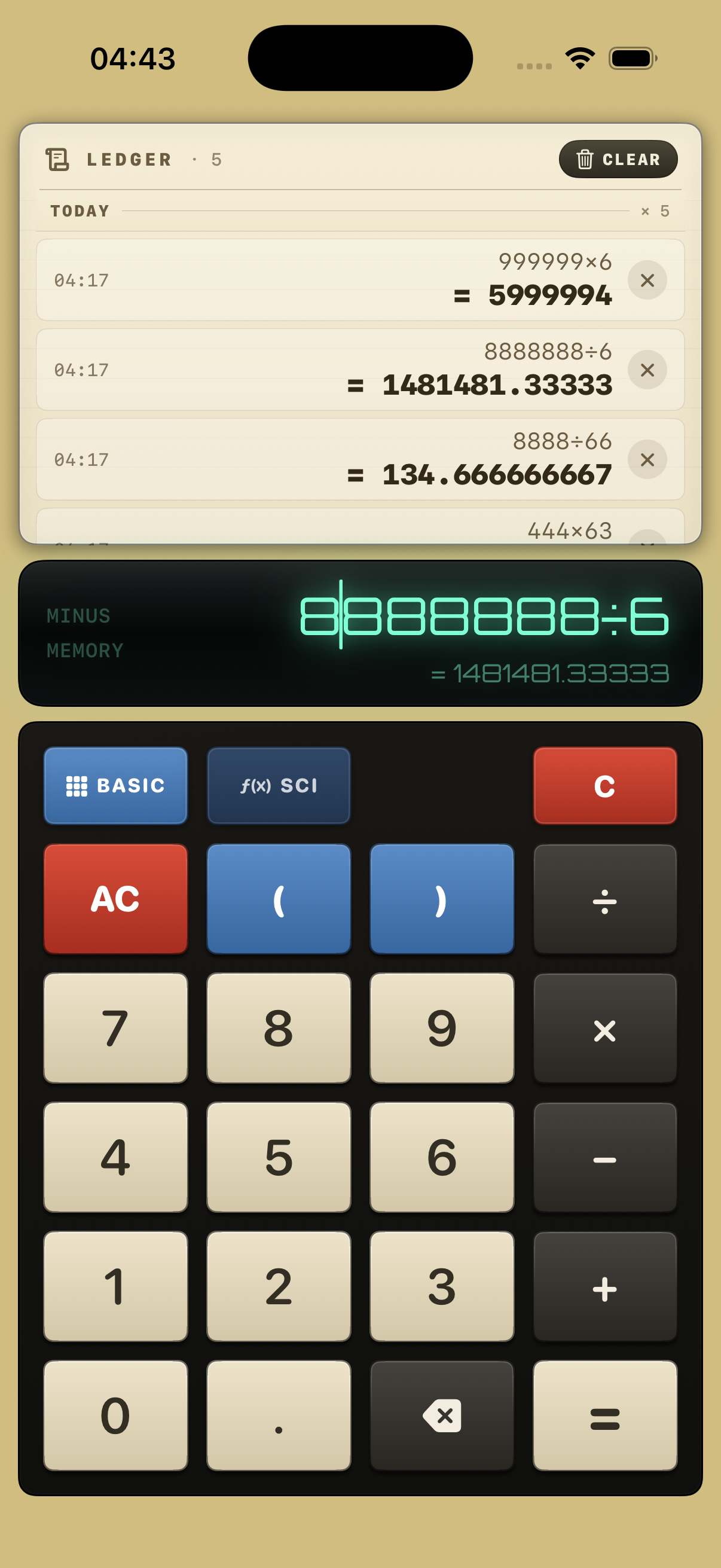
A calculator with the warmth of an old adding machine: glowing display, chunky keys and a paper style ledger that keeps every calculation so you can tap to reuse it.

  • Basic and scientific modes with degrees and radians
  • Edit any expression and see a live result preview
  • Calculation history stored locally on your iPhone
Explore Ledger 63 App Store link coming soon
Comparison of Good tools apps: PicCute for Mac and Ledger 63 for iPhone
App Platform Primary Job Key Capabilities Privacy & Storage
PicCute macOS Batch image compression & conversion 60%+ size reduction, 8 input formats (incl. HEIC, APNG), 5 output formats, side-by-side compare slider, parallel Rust engine 100% local on Mac · Offline · No uploads
Ledger 63 iPhone (iOS) Vintage calculator with reusable history Basic & scientific modes, RAD/DEG toggle, cursor expression editing, live result preview, tap-to-reuse paper ledger 100% local on iPhone · Offline · No accounts

Find the right tool

What do you need to get done?

Pick a task to see which app handles it and how, in a few steps.

How to compress a batch of images on Mac

Large screenshots and photos are slow to upload and heavy to email. PicCute shrinks a whole folder at once while keeping visual quality.

  1. Drag images or folders into PicCute.
  2. Set the quality slider (85% is a good start).
  3. Choose an output folder or overwrite the originals, then click Run.
PicCutefor Mac
Learn more

How the apps are made

Small on purpose.

Every app here follows the same few rules, so you know what to expect before you download.

Your files stay yours

PicCute processes images on your Mac. Ledger 63 keeps history on your iPhone. Nothing is uploaded.

No accounts

Open the app and start. No sign up, no login, no email required.

Made for Apple devices

Built natively for macOS and iOS, following the look and feel you already know.

One job, done well

Each app solves one clear problem instead of trying to do everything.

“I build the apps I want to use myself: quiet tools that open fast, do one job well and respect your files. Every app here is designed, built and supported by one person, so your feedback goes straight to someone who can act on it.”

The independent developer behind Good tools

Find a tool for today.

Read what each app does, see real screenshots and get started in minutes.